
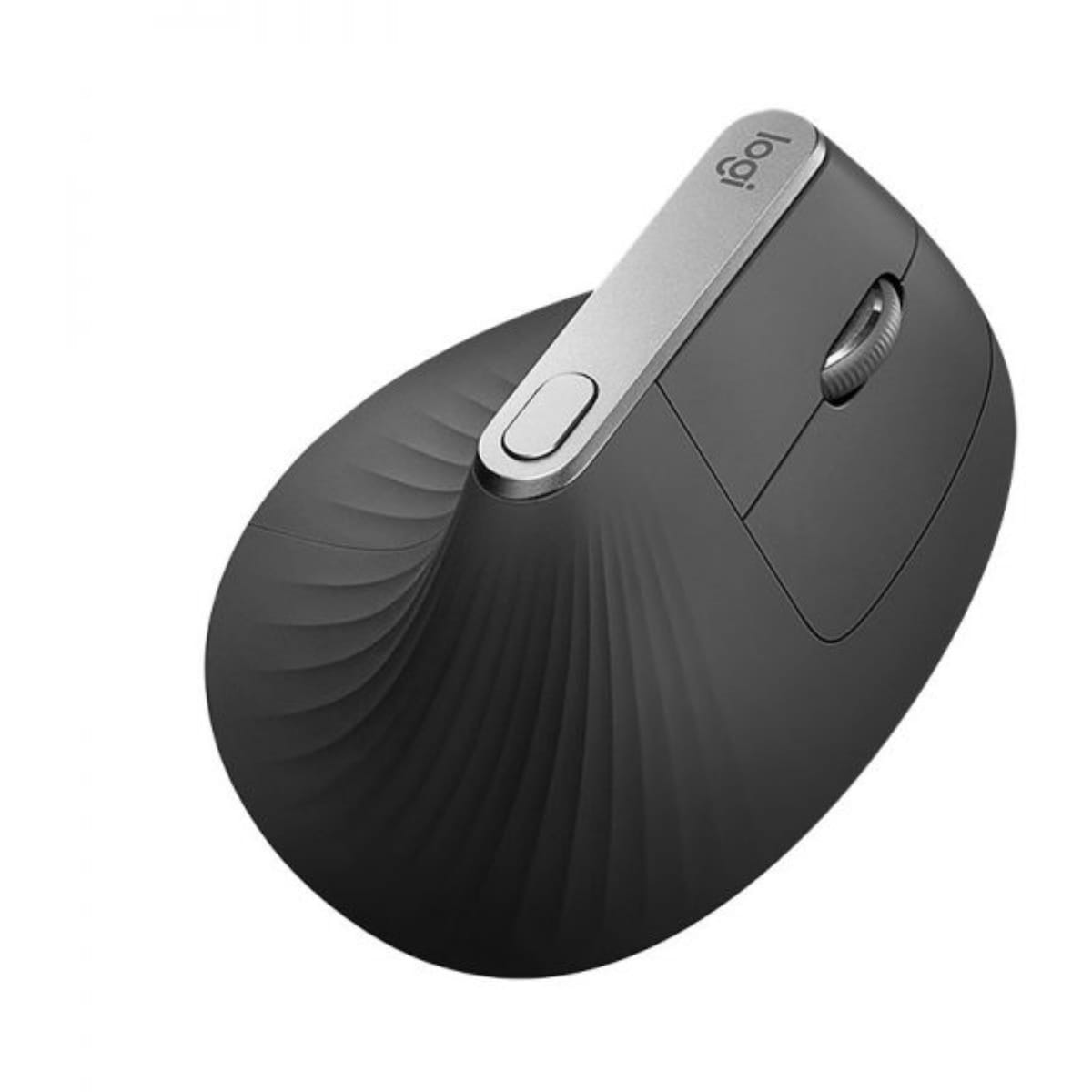
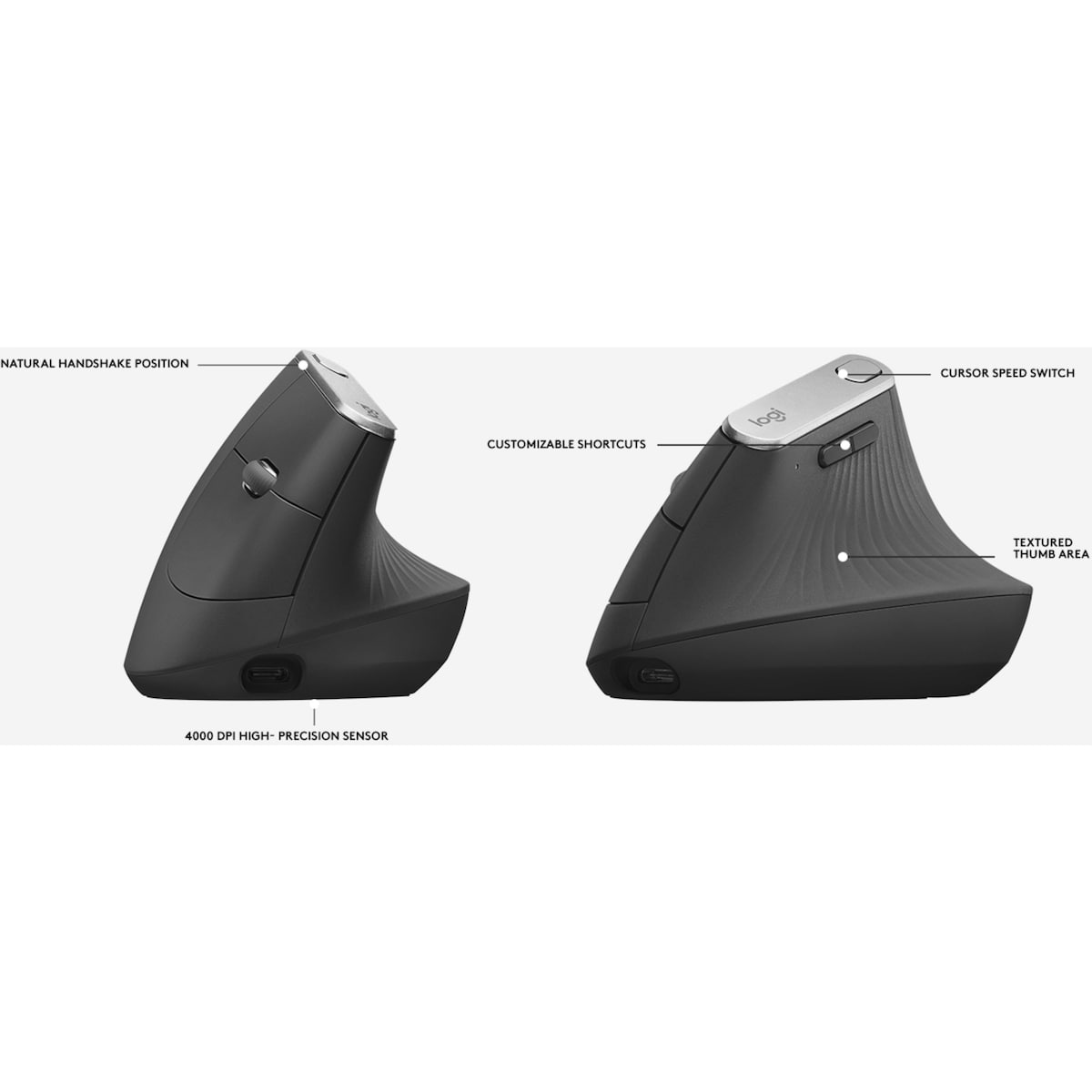
The logitech mx vertical ergonomic wireless optical mouse is designed to minimize wrist strain while delivering precise control, making it a smart choice for long study or work sessions. Angled at an ergonomist-recommended 57 degrees, this device helps promote a healthier posture and reduce fatigue during extended computer use. With a high-precision 4000-dpi optical sensor, you get smooth, accurate cursor movement that minimizes unnecessary hand motions. This combination supports comfortable, productive days and is ideal for home or office setups.
Key benefits
- 57-degree angled ergonomic design reduces pressure on your wrist while you work or draw for longer sessions.
- Intuitive thumb rest provides comfortable positioning for quick navigation and easy use.
- 4000-dpi optical sensor delivers precise cursor control and minimizes hand movements to reduce fatigue.
- Cursor speed switch lets you adjust sensitivity on the fly for different tasks without leaving your desk.
- Contoured shape and textured rubber surface enhance comfort and tactile feedback during extended use.
- Rechargeable battery eliminates frequent battery changes and pairs with a wireless design for reliability up to 10 metres.
- Comes with a wireless receiver, USB-C charging cable, and user documentation for quick setup.
- Broad compatibility with Windows 10/11 or later, Linux, Chrome OS, macOS, iPadOS, and Android ensures flexibility across devices.
Ingredients / key components
- 57-degree ergonomic angle — a design feature that supports a natural wrist posture and reduces muscle strain during long use.
- 4000-dpi optical sensor — provides high-precision tracking to minimize unnecessary hand movements and improve accuracy.
- Rechargeable battery — designed to save you the hassle of replacing batteries and supports longer daily use.
- USB-C charging cable and wireless receiver — enable quick setup and reliable wireless connectivity up to 10 metres.
- Compatibility across major operating systems — Windows 10, 11 or later, Linux, Chrome OS, macOS, iPadOS, and Android.
Usage tips and who this is for
This mouse is well suited for anyone seeking to reduce wrist strain while maintaining high-precision control. If you spend hours at a computer, the 57-degree angle and 4000-dpi sensor can help you work more comfortably with less fatigue. To get started, charge the device using the USB-C cable, connect the wireless receiver, and adjust the cursor speed using the built-in switch for on-the-fly sensitivity changes. See the included documentation for quick setup and troubleshooting tips.
Keep the device away from excessive heat and moisture, and store it in a clean, dry environment when not in use. Regularly inspect the USB-C charging cable for wear and replace if needed. The variant MX Vertical Ergonomic Wireless Optical Mouse is designed to work across multiple platforms, so you can switch between devices without losing productivity.
How to use MX Vertical Ergonomic Wireless Optical Mouse
A quick setup and use guide for the MX Vertical Ergonomic Wireless Optical Mouse
-
Charge and connect
Plug the USB-C charging cable into the mouse and a USB-C port on your computer, then connect the wireless receiver as directed in the documentation.
-
Power on and position
Power on the mouse and hold it in a comfortable, natural position with your wrist aligned to the 57-degree angle for reduced strain.
-
Adjust cursor speed
Use the cursor speed switch to set your preferred sensitivity for different tasks and screen sizes.
-
Test across apps
Open a few programs to test precision and comfort; adjust settings if needed for optimal performance.
-
Safety and maintenance
Do not expose to heat or moisture. Keep cable and receiver out of reach of children; inspect the USB-C cable for wear and replace if necessary.
Frequently Asked Questions
What is the primary benefit of the 57-degree design?
The 57-degree angle reduces pressure on the wrist, helping minimize fatigue during extended use.
What devices is this mouse compatible with?
It works with Windows 10, 11 or later, Linux, Chrome OS, macOS, iPadOS, and Android.
How precise is the sensor?
The mouse features a 4000-dpi optical sensor for high-precision tracking and smoother cursor control.
What should I do to get started?
Charge the mouse with the USB-C cable, connect the wireless receiver, and adjust the cursor speed with the on-device switch. Follow the included setup documentation for details.
Is this safe for use around children?
The data provided does not specify age-related safety restrictions; keep the USB-C cable and receiver out of reach of small children to avoid choking hazards.






Reviews
There are no reviews yet.