
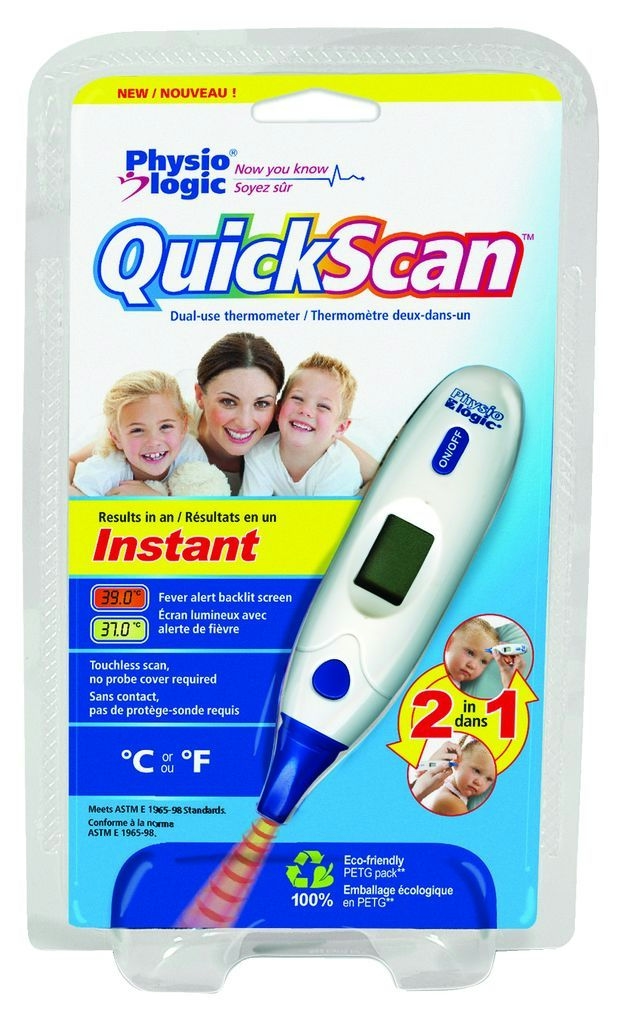
The full product name, Physio Logic Insta-therm Quick-scan Infrared Scanning Thermometer, describes a compact device designed for fast temperature checks using infrared scanning. It is intended for everyday use where rapid readings are helpful, and is suitable for users who want a simple, non-contact or contact-friendly option to monitor temperature.
Key benefits
- Fast readings with infrared scanning to quickly determine temperature without a long wait.
- User-friendly design aimed at convenient operation for home or clinical settings.
- Reliable display presents measurement results clearly for easy interpretation.
- Compact form supports portability and simple storage between uses.
- Practical for routine monitoring enabling quick checks during fever concerns or routine screenings.
Ingredients / components and why they matter
- Infrared sensor — detects surface temperature quickly and with minimal disruption, helping you get an accurate reading in moments.
- Microprocessor — processes the infrared data and delivers a clear reading on the display.
- Display / interface — makes results easy to read at a glance, reducing guesswork.
Usage tips and suitability
- Designed for individuals who need fast temperature checks in homes, clinics, or workplaces.
- Follow the included product instructions for usage to ensure accurate readings.
- Keep the device clean and store it according to the packaging directions to maintain sensor accuracy over time.
This thermometer is a practical tool for quick temperature assessments. By combining a compact form with a responsive infrared sensor, it helps you monitor health status efficiently for yourself and family members.
How to use Physio Logic Insta-therm Quick-scan Infrared Scanning Thermometer
A concise, step-by-step guide to taking a temperature reading with the infrared scanner, including safety reminders.
-
Power on and prepare
Turn on the thermometer and ensure the sensor is clean. Read the display to confirm the device is ready for a measurement.
-
Position and scan
Position the sensor toward the area specified in the instructions and initiate a scan to capture the temperature reading.
-
Interpret the result
View the measurement on the display and compare to typical fever ranges as indicated in the user guide.
-
Store and care
Turn off the device, power down if required, and store in its designated location. Follow the packaging directions for care and maintenance.
-
Safety reminder
Do not disassemble the device. If readings seem unusual, follow the manufacturer’s instructions and consult a healthcare professional if needed.
Frequently Asked Questions
What is this thermometer best used for?
It is designed for quick temperature checks using infrared scanning, suitable for home or clinical settings to monitor health status efficiently.
Is this safe for children?
Follow the included product instructions for safe use. Keep out of reach of children and supervise use as needed.
How do I get an accurate reading?
Use the infrared scanning function as directed in the instructions and read the result on the display. Ensure you follow all usage guidelines provided with the device.
What should I avoid after using this thermometer?
Do not modify or disassemble the device. Use it only as described in the accompanying instructions and store it properly after use.
What are the safety precautions?
Keep away from children when not in use. Follow the included usage instructions precisely and discontinue use if any fault or abnormal reading occurs.






Reviews
There are no reviews yet.