
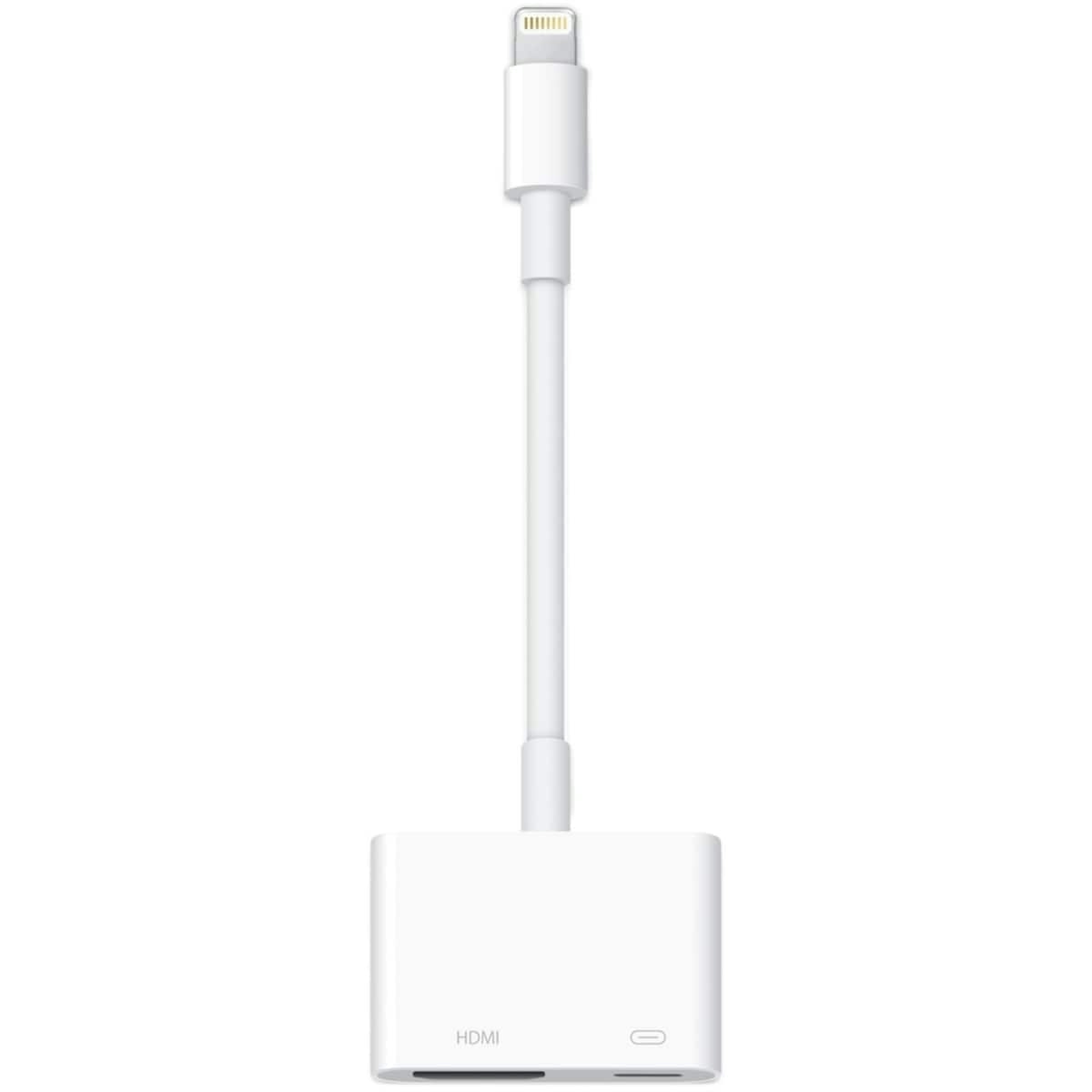
The Apple Lightning Digital AV Adapter is a compact accessory that lets you connect your iPhone, iPad, or iPod with a lightning connector to an HDMI-equipped TV or projector. It mirrors your device’s screen in up to 1080p HD, making it ideal for presentations, streaming, or sharing photos and videos on a larger display.
Key benefits
- Easy setup — attach the Lightning Digital AV Adapter to your device’s lightning port and connect to a TV or projector with a HDMI cable (sold separately) for quick viewing on a larger screen.
- High-definition mirroring — enjoy your apps, presentations, websites, and slideshows in up to 1080p HD on a display you choose.
- Broad compatibility — works with iPhone, iPad, and iPod models that use a lightning connector and require an HDMI-equipped display.
- Portable and reliable — small, lightweight accessory designed for travel, meetings, or classroom use without bulky hardware.
- Simple troubleshooting — if you don’t see a display, verify HDMI cable connection and ensure the display is set to the correct input.
Ingredients / key components
- Lightning connector — provides power and data to mirror content from compatible Apple devices.
- HDMI output — transmits video and audio signal to an HDMI-equipped display for synchronized playback.
Usage tips and fit
- Attach to your device’s lightning port, then connect a HDMI cable to a TV or projector.
- Ensure your display is set to the correct HDMI input for mirroring.
- For best results, use a high-quality HDMI cable and keep your display within a reasonable distance for clear signal transmission.
- Follow the included product instructions for setup steps and avoid forcing connections to prevent damage.
The Lightning Digital AV Adapter is a practical tool for anyone looking to project iOS content to a larger screen without extra adapters or complex configuration. The product mainly serves users who want to mirror their device screen to an HDMI display for presentations, media sharing, or classroom use. This description references the variant name Lightning Digital AV Adapter to ensure clarity and consistency across listings.
How to use the Lightning Digital AV Adapter
A simple 4-step guide to mirror content from your Apple device to an HDMI display.
-
Connect to device
Plug the Lightning Digital AV Adapter into your device’s lightning port.
-
Attach HDMI
Connect a HDMI cable from the adapter to an HDMI input on your TV or projector (cable sold separately).
-
Power on display
Turn on the display and select the corresponding HDMI input.
-
Verify and enjoy
Your device screen should mirror on the display. If not visible, check cable connections and input source; follow the included instructions for further troubleshooting.
Frequently Asked Questions
What devices are compatible with this adapter?
This adapter works with iPhone, iPad, and iPod models that use a lightning connector and can connect to an HDMI-equipped TV or projector.
How do I set up the adapter?
Attach the Lightning Digital AV Adapter to your device’s lightning port, then connect a HDMI cable to your TV or projector and select the appropriate HDMI input.
Will I get audio along with video?
Yes. When connected to an HDMI-equipped display, both video and audio signals are transmitted to the display.
Is this safe for children or classroom use?
Follow the included product instructions for setup. Keep the adapter and cables away from young children to prevent any accidental damage or tangling.






Reviews
There are no reviews yet.